
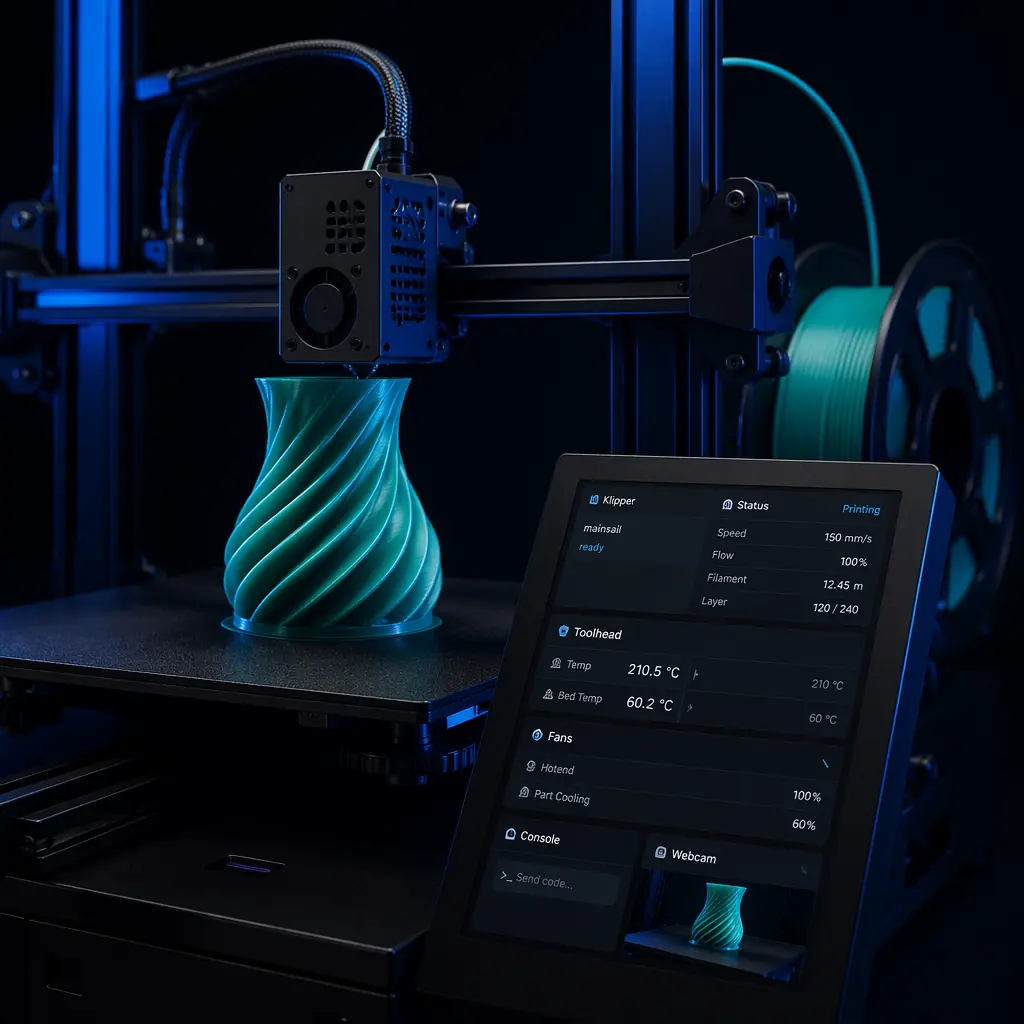
Two years ago, if you asked a customer what firmware their 3D printer ran, they'd stare at you blankly. Today, Klipper is the third-most-searched term in consumer 3D printing after "best 3D printer" and "3D printer filament" — and the printers that ship with it sell at a 20–35% price premium over equivalent Marlin-based machines. The firmware conversation has moved from maker forums to mainstream retail, and distributors who don't understand the shift are leaving margin on the table.
This guide explains what Klipper actually does, why it commands a price premium, how it changes the support equation for distributors, and where it fits in a balanced product line. No compiler flags, no config-file tutorials — just the commercial intelligence you need to stock and sell the right machines.
What Klipper Actually Is (and Isn't)
Klipper is open-source 3D printer firmware that splits the job between two processors: a Raspberry Pi (or similar single-board computer) handles the heavy math — trajectory planning, kinematic calculations, input shaping — while the printer's mainboard microcontroller handles only the real-time step-pulse generation. Marlin, the firmware that has run the majority of consumer 3D printers since 2011, does everything on a single microcontroller. That architectural difference is the root of every performance and feature gap between the two.
The practical consequences are concrete. A Klipper printer with a Raspberry Pi CM4 can run input shaping at 10,000 mm/s² acceleration with resonance compensation computed in real time. A Marlin printer on an STM32 chip can do input shaping too — but with pre-computed coefficients stored in firmware, not adaptive compensation. The difference shows up at speeds above 200 mm/s, where Klipper's adaptive approach maintains surface quality that Marlin's fixed coefficients can't match.
Klipper is not a slicer. It's not a replacement for Cura or PrusaSlicer. It doesn't design parts or generate toolpaths. What it does is execute those toolpaths faster and more precisely — and it exposes a web interface (Mainsail or Fluidd) that lets users control, monitor, and tune their printer from any device on the network. That web UI, more than the speed gains, is what customers are actually paying for.
Why Customers Are Asking for Klipper by Name
The shift from "I want a 3D printer" to "I want a Klipper 3D printer" happened faster than most distributors anticipated. Three forces drove it:
YouTube and the speed-race narrative.
In 2024–2025, every major 3D printing channel ran a "Benchy in under 8 minutes" video. The machines hitting those times all ran Klipper. The takeaway for casual buyers was simple: Klipper = fast, Marlin = slow. The reality is more nuanced — a well-tuned Marlin printer at 150 mm/s produces prints indistinguishable from Klipper at the same speed — but nuance doesn't win search queries.
The Creality and Bambu Lab effect.
Creality's K1 series shipped with Klipper in 2023. Bambu Lab's proprietary firmware borrows heavily from Klipper's architecture (the X1 Carbon's vibration compensation is conceptually identical to Klipper's input shaping). When the two highest-volume brands in consumer 3D printing both adopted Klipper-like systems, it stopped being a niche enthusiast feature and became the market baseline. As covered in our kinematics comparison guide, the move to faster motion systems accelerated firmware adoption in parallel.
The web-interface expectation.
New buyers in 2026 expect WiFi and a phone/tablet interface. Marlin printers need an add-on (OctoPrint on a separate Raspberry Pi) to provide that. Klipper ships with Mainsail or Fluidd built into the same Pi that runs the firmware. The cost of adding WiFi to a Marlin printer — $35–50 for a Pi + setup time — exceeds the BOM cost of including a compute module at the factory. Customers have started noticing.
The Price Premium: What Customers Pay for Klipper
Across the Precise3D distributor network, Klipper-equipped printers command a 20–35% retail price premium over hardware-equivalent Marlin machines. A bedslinger with Klipper typically retails at $349–399; the same mechanical platform with Marlin sells at $249–299. The component cost difference is roughly $25–35 (a Raspberry Pi CM4 or compatible compute module, plus the SD card and slightly more complex QC), so the margin opportunity is real — roughly 60–70% of the retail premium flows to gross margin.
The economic logic for including Klipper in a mid-range SKU is straightforward: $30 in additional BOM cost enables a $70–100 retail price increase. The limiting factor is support complexity — which brings us to the most important section of this guide.
The Support Equation: What Changes When You Sell Klipper Printers
This is the part that catches distributors off guard. Klipper printers generate different support tickets than Marlin printers — not necessarily more, but different. Understanding the pattern before you stock Klipper SKUs prevents the inbox nightmare that drives margin into after-sales overhead.
Fewer "bed leveling" and "first layer" tickets.
Klipper's adaptive bed mesh and screw-tilt-adjust macros make first-layer calibration dramatically simpler. A customer who would have sent 5 emails back and forth about bed leveling on a Marlin printer runs the macro, adjusts 4 screws, and starts printing. Support volume drops 30–40% on basic calibration issues.
More "config file" and "I changed a setting" tickets.
Klipper exposes everything through a human-readable config file — printer.cfg. This is Klipper's superpower for enthusiasts and its Achilles' heel for beginners. A customer who opens printer.cfg and changes `max_accel` from 5000 to 20000 because "a YouTube video said to" will generate a ticket when their printer starts layer-shifting. Distributors need a one-page "settings you should never change without calling us" card in the box. Our maintenance guide for distributors covers how to structure after-sales documentation.
More "firmware update" tickets — but they're self-solving.
Klipper updates through the web UI via a package manager (KIAUH or similar). The update process is smoother than re-flashing Marlin firmware via SD card, but it introduces a new failure mode: a failed update that soft-bricks the Pi. Recovery is straightforward (re-flash the SD card) but requires basic Linux familiarity. A pre-flashed recovery SD card in the box costs $2 and eliminates 90% of update-related support tickets.
Different return patterns.
Across our distributor network, Klipper printer return rates are 1.2–1.8 percentage points lower than Marlin equivalents — but the reasons for returns differ. Marlin returns cluster around "couldn't get good prints" (bed leveling / first layer). Klipper returns cluster around "too complicated" (config-file anxiety). The total return rate is lower, but the qualitative feedback matters for how you position the product on your website and in sales conversations. As discussed in our after-sales strategy guide, managing customer expectations pre-sale is the cheapest form of support.
Market Adoption: Where Klipper Fits by Segment
Not every customer segment needs or wants Klipper. Stocking it in the wrong tier wastes margin; omitting it from the right tier leaves revenue on the table.
Entry-level / first-buyer (sub-$300): Klipper is optional, not essential.
A customer buying their first 3D printer at $199–249 has a checklist: "does it print, is it easy to set up, can I print dinosaurs for my kid?" Firmware architecture doesn't make the list. Stocking a Klipper variant in this tier adds cost without adding perceived value. The exception: if your entry SKU is at $279–299 (the upper end of "entry"), Klipper becomes a competitive differentiator against the $199 Marlin printers flooding Amazon. Our distributor startup guide covers entry-tier strategy in depth.
Mid-range / prosumer ($300–700): Klipper is rapidly becoming table stakes.
This is the segment where the firmware conversation is happening. The typical buyer has owned a printer before, watches 3D printing YouTube channels, and has heard "Klipper" enough times that they'll filter search results for it. A $399 printer without Klipper in 2026 competes against $349 printers with it — and loses. Every SKU in this tier should ship with Klipper, period.
Print farm / production ($700+): Klipper is a requirement, not a feature.
Print farm operators manage fleets of 10–100+ printers. They need remote monitoring, centralized control, and the ability to push config changes to every machine simultaneously. Marlin can't do this without third-party middleware. Klipper's Mainsail/Fluidd ecosystem provides it natively. If your product line includes a print-farm-targeted SKU, it must run Klipper — and the marketing materials should lead with fleet-management capabilities, not speed. Our print farm economics analysis covers the unit economics of fleet operations.
Klipper vs. Proprietary Firmware: The Bambu Lab Question
Bambu Lab's machines don't run Klipper — they run a proprietary firmware that implements many of the same features. This creates a competitor-positioning issue for distributors: how do you sell a Klipper printer against a Bambu Lab printer that "just works" out of the box?
The answer is ecosystem openness. Klipper's open-source nature means customers can use any slicer, any webcam, any filament-management system, and any upgrade path. Bambu Lab's closed ecosystem means customers use Bambu slicer, Bambu filament (for optimal RFID integration), and Bambu's cloud. For the enthusiast segment that values tinkering and customization, Klipper's openness is a feature. For the "I want to unbox and print in 10 minutes" segment, proprietary firmware wins. Position accordingly.
It's also worth noting that third-party Klipper ports for Bambu Lab hardware exist — a signal from the community that even closed-ecosystem buyers want the configurability Klipper provides. This trend supports the argument that Klipper, not proprietary firmware, is the long-term direction of the consumer market.
The Stocking Recommendation
Based on sales data across 200+ distributor partners and the market trajectory through mid-2026, here's the firmware strategy that maximizes revenue per SKU:
Entry SKU ($199–249):
Marlin. Keep it simple, keep the price low, focus on mechanical quality. This is your volume driver and first-buyer gateway.
Mid-range SKU ($349–449):
Klipper, mandatory. This is where the firmware conversation is happening and where the margin premium pays for the BOM cost 2–3× over. Stock at least one Klipper bedslinger or CoreXY in this band. The pricing and margin guide covers how to structure tiered pricing for maximum per-unit profit.
Professional SKU ($599+):
Klipper, non-negotiable. Print-farm buyers and engineering teams require remote fleet management. Marlin at this price point is a non-starter — the buyer who spends $600+ on a printer knows what firmware is.
Accessory upsell opportunity:
A pre-flashed Klipper upgrade kit (Raspberry Pi + pre-configured SD card + USB cable + one-page setup guide) retails at $59–79 with a BOM cost of $28–35. For distributors with an existing base of Marlin printer customers, this is a high-margin aftermarket product that extends customer lifetime value. Our multi-color printing analysis covers additional accessory revenue strategies.
The Bottom Line
Klipper stopped being an enthusiast niche in 2025. In 2026, it's a purchase-decision factor that influences search behavior, retail pricing, and customer satisfaction. Distributors who treat firmware as an invisible preload are competing on price against competitors who treat it as a feature — and losing.
The playbook is simple: Marlin at the bottom, Klipper in the middle and top, and a support strategy that acknowledges config-file anxiety without letting it erode margin. The $30 BOM delta is the best money you'll spend on a mid-range printer — because the customer who searches "Klipper 3D printer" already decided what they want to buy. Your job is to be the one selling it.
Reviewed by the Precise3D engineering & OEM team. Compliance files that accompany the catalog are auditable at the certification register.
Start Your Partnership
Ready to Bring Klipper-Equipped Printers to Your Market?
Join our network of global distributor network. We'll help you select the right Klipper SKUs for your customer base and provide pre-configured firmware support materials.
