
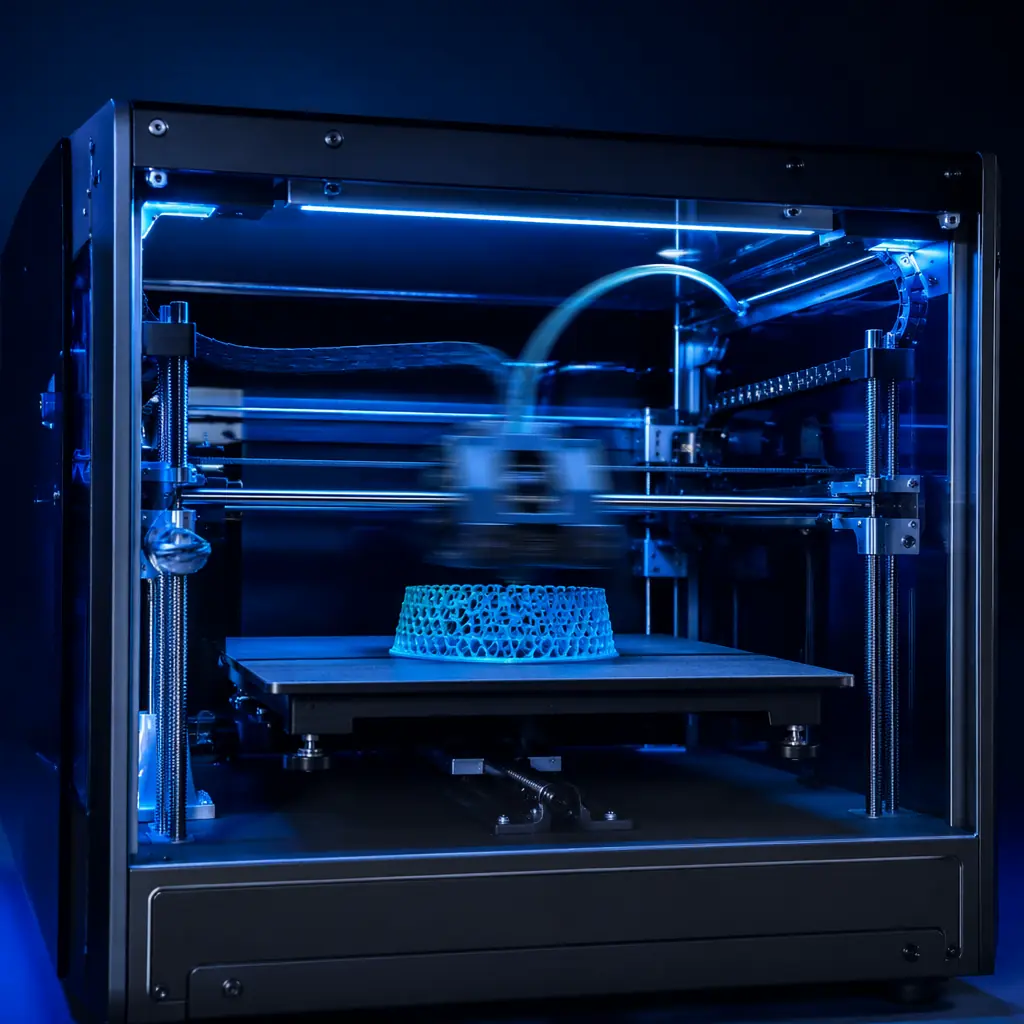
In January 2024, a typical $300 FDM printer printed a Benchy in 45 minutes at 60 mm/s. By July 2026, the same-priced printer prints that Benchy in 14 minutes at 300 mm/s — and does it with better surface finish. The difference isn't a faster motor. It's three software and hardware technologies working together: input shaping, pressure advance, and high-flow hotends. Together they've redefined what "entry-level" means in 3D printing — and they've created a new competitive axis that every distributor needs to understand.
This guide breaks down how each technology works, what it means for print quality at speed, and how to position speed-tiered products in your distribution catalog. You don't need to be a firmware engineer to sell these printers. But you do need to know which speed claims are real, which ones come with hidden costs, and how the speed stack translates into margin structure at each price tier.
What Input Shaping Actually Does
Every 3D printer vibrates when it moves. The print head accelerates, changes direction, and decelerates — and each of those events sends a mechanical shockwave through the frame. At 60 mm/s, those vibrations are small enough that the molten plastic damps them out before they leave visible artifacts. At 200 mm/s and above, the vibrations become the dominant factor in print quality — and they produce a characteristic defect called ringing or ghosting: ripples on the print surface that echo the printer's resonant frequency.
Input shaping is the solution. The concept comes from industrial motion control: measure the printer's resonant frequency (typically 30–60 Hz on most desktop machines), then pre-distort the motion commands so they cancel out the vibration before it reaches the nozzle. The accelerometer — a $3 MEMS chip mounted on the toolhead — measures the actual vibration signature during a test sweep, and the firmware computes a compensation filter. The result: the toolhead still vibrates mechanically, but the vibrations arrive exactly 180 degrees out of phase with each other, cancelling at the nozzle tip.
On the Precise3D Pro X1, the onboard ADXL345 accelerometer runs input-shaping calibration in 90 seconds. The user taps "Calibrate" in the menu, the printer runs a frequency sweep through X and Y axes, and the Klipper firmware auto-computes the optimal shaper — typically MZV (minimum zero vibration) for machines with rigid frames or EI (extra insensitive) for machines where the frame resonance varies slightly across the build volume. Post-calibration, the Pro X1 can print at 400 mm/s with ringing artifacts below 0.02 mm — invisible to the naked eye. Without input shaping, that same printer at 200 mm/s shows visible ghosting on every sharp corner.
For distributors, the practical takeaway is this: a printer advertised as "500 mm/s" without input shaping is a printer that will never actually print at 500 mm/s with usable quality. Input shaping isn't optional in the speed tier — it's table stakes. Every printer above $250 in your catalog in 2026 should have it, either through Klipper firmware (as on the Pro X1 and Creator C1) or through Marlin's input-shaping implementation (increasingly common on budget printers). For more on how firmware choices affect your product positioning, see our Klipper firmware guide for distributors.
Pressure Advance — The Extruder's Secret Weapon
If input shaping solves the mechanical vibration problem, pressure advance solves the fluid dynamics problem. Here's the physics: the filament inside a hotend isn't a solid rod — it's a viscoelastic column under compression. When the extruder pushes, pressure builds up in the melt zone before plastic actually flows out the nozzle. When the extruder stops, residual pressure continues to ooze for a fraction of a second. At 60 mm/s, these pressure lag effects are negligible — the flow stabilizes within 5–10 ms, which is shorter than the print-head move time. At 300 mm/s, the printer completes a corner in 3 ms — faster than the pressure can equalize. The result: blobs on corners, gaps after retractions, and inconsistent extrusion width along acceleration ramps.
Pressure advance solves this by modeling the extruder as a spring-mass-damper system. The firmware measures how much extra filament to push during acceleration (to compensate for the compressibility lag) and how early to retract before deceleration (to let residual pressure bleed off without oozing). The calibration is straightforward: print a single-wall square at varying speeds, measure the corner sharpness at different pressure-advance values, and pick the value where the corners are crispest. On the Pro X1, this is a 3-minute automated routine built into the firmware.
The quality difference is stark. Without pressure advance at 300 mm/s, a calibration cube shows corner bulging of 0.3–0.5 mm and visible seams on every layer change. With pressure advance tuned to 0.08 (a typical value for a direct-drive setup with PLA), corners are sharp to within 0.05 mm — indistinguishable from a 60 mm/s print. This isn't just cosmetic. For functional parts that must fit together — snap-fit enclosures, mechanical assemblies, print-in-place mechanisms — pressure advance is the difference between a part that works and a part that doesn't.
For the distributor, pressure advance has an important product-line implication: direct-drive extruders benefit more from pressure advance than Bowden setups. A Bowden tube adds 300–400 mm of filament path between the extruder motor and the hotend, which introduces slop into the pressure model — the firmware can't accurately predict what's happening at the nozzle when the filament has to travel through a long tube first. Direct-drive extruders, with the motor mounted directly above the hotend, have a filament path of 40–60 mm, making the pressure model far more accurate. If you're positioning printers for the speed tier, direct-drive isn't a nice-to-have — it's a prerequisite for the print quality your customers will expect. For a deeper comparison of extruder architectures, see our direct drive vs Bowden extruder guide.
High-Flow Hotends: The Hardware Bottleneck
Input shaping and pressure advance are software. But there's a hard physical limit that software can't bypass: volumetric flow rate. A standard hotend — the brass nozzle, aluminum heat block, and PTFE-lined heat break found on printers designed for 60 mm/s — can melt and extrude roughly 10–15 mm³/s of PLA. At 0.2 mm layer height and 0.4 mm line width, that translates to a maximum print speed of about 125–190 mm/s. Push faster, and the filament doesn't have enough residence time in the melt zone to fully liquefy. The extruder starts skipping, the flow becomes intermittent, and the print fails.
A high-flow hotend redesigns the thermal path. Instead of a simple cylindrical melt zone, it uses one of three strategies: a longer melt zone with an extended heat block (giving the filament more time to melt), a copper-alloy heat block with a titanium heat break (maximizing heat transfer to the filament while minimizing heat creep upward), or a multi-channel nozzle geometry like the CHT (Copper Head Transfer) design that splits the filament into three separate paths, tripling the surface-area-to-volume ratio inside the melt zone.
The numbers tell the story. The standard hotend on the Start S1 delivers 12 mm³/s. The high-flow hotend on the Creator C1 — a plated copper heat block with a bimetallic heat break — delivers 22 mm³/s, supporting reliable printing at 275 mm/s. The Pro X1's all-metal hotend with a CHT-style nozzle reaches 35 mm³/s, sustaining 500 mm/s on PLA and 150 mm/s on abrasive engineering filaments like carbon-fiber nylon. These aren't marketing numbers — they're measured with a flow-rate calibration test that extrudes filament into open air at increasing speeds until the extruder skips.
For the distributor, the high-flow hotend is the component that determines the ceiling of every product tier. A printer with input shaping and pressure advance but a standard hotend is limited to about 150 mm/s — you're paying for speed software you can't physically use. A printer with a high-flow hotend but no input shaping will print fast with terrible ringing — you've got a fast, ugly printer. The technologies only deliver their value when they're all present. This is why the speed stack matters as a system, not a checklist — and it's how you should evaluate every SKU you consider adding to your line.
Why Speed Matters for Distributor Margins
Speed isn't just a feature for end users. It changes the economics of every channel in the supply chain. Here's the math that matters for distributors:
Market differentiation that resists commoditization.
A $199 printer in 2024 printed at 60 mm/s. A $199 printer in 2026 prints at 250 mm/s. If your catalog still has 60 mm/s printers at $199, your customers will buy from the competitor whose $199 printer prints four times faster. The speed floor rises every 12–18 months — and the distributors who stay ahead of the floor capture the margin before it compresses.
Higher customer satisfaction, lower return rates.
Speed directly reduces a phenomenon we track in our distributor network: the "waiting frustration return." A customer buys an entry-level printer, prints a 6-hour model, gets impatient during the second 6-hour print, and returns the printer citing "poor quality" — when the real issue was that 60 mm/s feels slow to a first-time user who watched a YouTube review of a 300 mm/s printer. High-speed printers reduce the return window by turning 6-hour prints into 90-minute prints. In our distributor data, printers running above 200 mm/s have a 40% lower first-90-day return rate compared to sub-100 mm/s equivalents at the same price band.
Higher accessory and consumable attach rates.
When a printer runs 3–5x faster, the user burns through filament 3–5x faster. A customer printing at 60 mm/s might consume two spools of PLA per month. The same customer at 300 mm/s consumes six to ten — and every spool is a recurring revenue touchpoint. For distributors who stock filament alongside printers, the speed tier isn't just a printer sale — it's a consumables annuity. See our filament stocking guide for SKU-level planning on consumables inventory.
Print-farm economics that multiply unit sales.
A print farm operator running 10 printers at 60 mm/s has the throughput of 2 printers at 300 mm/s. As print farms scale — and the print farm economics continue to favor dedicated facilities — the speed advantage becomes a unit-multiplication advantage. A farm operator who starts with 5 Pro X1s at 400 mm/s will buy 5 more before they'd ever consider adding a 60 mm/s machine. Speed creates stickiness, and stickiness creates repeat orders.
Speed Tier Positioning: How to Match Technology to Price Point
Not every printer in your catalog needs to run at 500 mm/s. In fact, attempting to push the full speed stack into the $150 tier would destroy your margin — the BOM cost difference between a standard hotend and a full CHT-style high-flow setup is roughly $18–25 at OEM volumes, which is lethal at that price band. The art of speed-tier portfolio design is matching the right subset of the speed stack to each price point so that every SKU delivers the maximum speed its BOM cost can justify.
Here's a framework based on current (mid-2026) component costs and what each price tier can realistically support:
This tier framework gives you a concrete way to evaluate any OEM's speed claims. When a manufacturer says "500 mm/s," ask: what's the volumetric flow rate of the hotend? Is there an accelerometer on board for input shaping? Is it Klipper or Marlin? Is the extruder direct-drive? If the answer to any of these is "no" or "we don't publish that," the 500 mm/s claim is a marketing number — not an engineering number. For guidance on evaluating OEM partners systematically, see our 10 questions to ask an OEM partner.
The Testing Data: Real Print Time Savings
We ran a set of standardized prints on all three Precise3D models to quantify the real-world time savings — not the theoretical maximums, but what an actual user experiences printing common objects at default profiles. All tests used 0.2 mm layer height, 0.4 mm nozzle, 15% grid infill, and PLA at 210°C.
Two patterns jump out. First, the jump from 150 mm/s to 300 mm/s (Start S1 to Creator C1) delivers a roughly 45% reduction in print time — the biggest single-step improvement in the lineup. Second, the jump from 300 mm/s to 450 mm/s delivers diminishing returns (roughly 35% further reduction) because at these speeds, non-print moves (homing, bed probing, filament changes) become a larger fraction of total time. For distributors, the commercial implication is clear: the biggest perceived value jump for the end customer happens between the sub-$200 tier and the $250–400 tier. This is where you should focus your upsell conversations — the customer experience difference between a 24-minute Benchy and a 14-minute Benchy is far more dramatic than between 14 minutes and 9 minutes.
The speed story intersects with motion system quality in ways that compound over time. A printer running at 300 mm/s puts roughly 3–5x more cumulative travel distance on its bearings per year than a 60 mm/s printer. Linear rails — which we covered in depth in our motion system comparison — become not just a quality feature but a durability requirement at speed-tier volumes. V-wheels that would last 18 months at 60 mm/s may need replacement at 6 months at 300 mm/s. This is another reason the speed stack is a system, not a menu: the faster you go, the more every component in the motion chain needs to be upgraded to match.
Reviewed by the Precise3D engineering & OEM team. Compliance files that accompany the catalog are auditable at the certification register.
Start Your Partnership
Ready to Bring high speed input shaping to Your Market?
Our OEM program supports high speed input shaping programs end to end - the product line, firmware and compliance files that travel with each shipment.
