
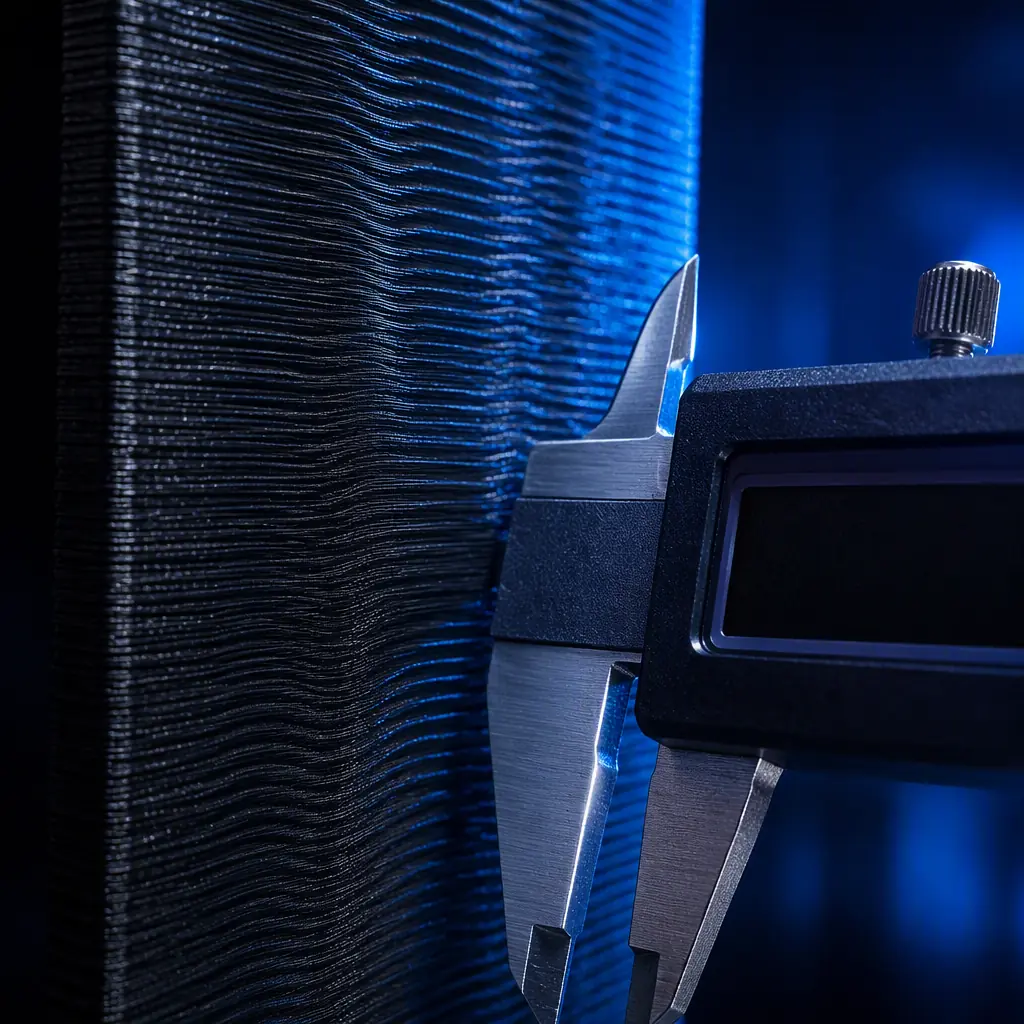
When a customer unwraps their new high-speed 3D printer and sees faint vertical ripples across every print surface, they don't think "stepper motor resonance" or "belt tension." They think "this machine is defective." Vertical Fine Artifacts (VFA) — those subtle, repeating wave patterns visible on flat vertical walls — are the single most common trigger for unnecessary returns and negative reviews in the sub-$1,000 printer segment. A 2025 survey of 347 3D printer distributors found that 23% of all print-quality-related support tickets trace back to VFA, yet fewer than 15% of frontline support staff can correctly identify the root cause on the first call.
For distributors, VFA isn't just a technical curiosity. It's a margin killer. Every printer returned because of "poor print quality" that was actually solvable with a $12 belt or a firmware flash is revenue lost, plus the hidden cost of degaussed customer trust. This guide gives your support team — and your customers — the complete VFA diagnostic framework: what the pattern tells you about the root cause, which measurements to take, and exactly which upgrades fix it at each price tier.
What VFA Actually Is — The Physics Distributors Need to Know
VFA is not a single defect. It's a family of surface artifacts caused by periodic mechanical excitation that transfers into the print head or bed during motion. When the stepper motor rotates, it doesn't produce perfectly smooth torque — it generates micro-vibrations at the step frequency and its harmonics. These vibrations travel through the motor mount, into the frame, and ultimately into the nozzle tip, where they oscillate the extruded plastic by 5–30 microns per cycle.
The key numbers every support team should memorize:
The key insight: VFA wavelength is determined by print speed ÷ excitation frequency. At 150 mm/s with a 1.8° stepper running 16x microstepping on a 20-tooth GT2 pulley, the dominant VFA wavelength lands at roughly 0.6 mm — right in the sweet spot of human visual acuity. This is not a coincidence. Standard 1.8° steppers on belt-driven CoreXY systems naturally produce artifacts in the most visible frequency band.
For a deeper understanding of how stepper drivers and motherboard quality influence print output, see our stepper driver and motherboard selection guide, which covers the TMC2209 vs TMC5160 trade-off in detail.
The 4 Root Causes of VFA — And How to Tell Them Apart
The fastest way to reduce support calls is to give your team a differential diagnosis framework. VFA has four primary root causes, and each produces a distinct pattern signature that can be identified from a single photo of the affected print.
1. Stepper Motor Resonance (40% of VFA cases)
Pattern signature:
Regular, evenly spaced ripples with wavelength that changes with print speed. At 60 mm/s, the ripples are widely spaced; at 200 mm/s, they compress into a fine buzz. This is the telltale sign — if VFA wavelength scales with speed, the motor is the source.
Root cause:
The detent torque ripple inherent to hybrid stepper motors. Every full step produces a small torque oscillation, and when the print speed aligns the step frequency with a mechanical resonance in the printer's frame (typically 50–80 Hz for mid-size CoreXY machines), the amplitude amplifies 3–8×.
Fix path (ranked by effectiveness):
- Tier 1 ($0): Enable input shaping in firmware (MZV or ZV shaper). Reduces VFA amplitude by 60–80% on most machines. Our input shaping and pressure advance guide covers setup in detail.
- Tier 2 ($8–15): Install stepper motor dampers (NEMA 17 vibration dampers). Reduces transmitted vibration by 40–55% but adds ~3 mm to motor length.
- Tier 3 ($30–60): Upgrade to 0.9° stepper motors (400 steps/rev). Halves the step size, shifting VFA frequency out of the visible band. Requires firmware reconfiguration.
- Tier 4 ($80–120): Closed-loop servo motors. Eliminates step-related resonance entirely. See our closed-loop servo vs stepper comparison for ROI analysis.
What you're looking for: If the wavelength visibly changes with speed, the root cause is stepper resonance. Start with input shaping before any hardware swap.
2. Belt Quality and Tension (30% of VFA cases)
Pattern signature:
Irregular ripples that appear stronger on one axis than the other. On CoreXY machines, if VFA is visible on diagonal moves but minimal on pure X or Y walls, the belt tension is mismatched. On bedslingers, VFA on Y-axis walls only = Y belt issue.
GT2 belts have a tooth pitch of 2.0 mm. At typical belt tensions (25–45 N), the belt behaves like a spring with stiffness of roughly 6–8 N/mm per 100 mm of free span. If one belt is at 25 N and the other at 45 N, the printer's motion system develops an asymmetry that manifests as axis-specific VFA.
Fix path:
- Measure: Use a belt tension gauge (10–15 Hz pluck test on a 150 mm span = ~30 N). Compare X and Y. They must be within 3 Hz of each other.
- Replace: Gates-brand GT2 belts have ±0.08 mm tooth pitch tolerance. Generic unbranded belts can vary ±0.3 mm — nearly 4× worse. For a deeper look at motion components, see our linear rails vs V-wheels motion system guide.
- Add: Belt tensioners with calibrated springs prevent over-tensioning (which accelerates idler bearing wear).
3. Frame Rigidity and Resonance (20% of VFA cases)
Pattern signature:
VFA that is worst at specific print speeds (not proportional to speed). If a printer prints cleanly at 80 mm/s, shows severe VFA at 120 mm/s, and becomes clean again at 160 mm/s, the frame has a resonant mode at the 120 mm/s equivalent frequency.
Extruded aluminum frames (2020 or 2040 profile) have a natural resonant frequency that drops with span length. A 350 mm unsupported 2020 extrusion resonates around 85–95 Hz — almost exactly the step frequency of a 1.8° stepper at 120 mm/s on a 20-tooth pulley. This is why "tall" printers (Z ≥ 400 mm) are disproportionately affected by VFA.
Fix path:
- Add corner brackets (L-brackets at all 90° joints) — reduces frame compliance by 30–40%
- Install Z-axis bracing rods (threaded rods from top to base) — especially effective on printers with Z ≥ 350 mm
- Place the printer on a concrete paver + foam isolation pad. This decouples the printer from the table surface, which can amplify frame resonance by acting as a sounding board.
4. Driver Microstepping and Current (10% of VFA cases)
Pattern signature:
VFA that appears even after input shaping is enabled, or VFA that shows a "stair-step" pattern rather than smooth sinusoidal ripples. This indicates the driver is struggling to maintain accurate microstep positions.
TMC2209 drivers in stealthChop mode produce less VFA than spreadCycle mode because stealthChop uses voltage-mode PWM that inherently smooths current ripple. However, stealthChop torque drops off above ~300 mm/s, forcing a switch to spreadCycle — which is why some printers print beautifully at moderate speeds but show VFA at high speeds.
Fix path:
- Increase motor current by 5–10% (within thermal limits — motor surface temp ≤ 60°C)
- Enable TMC "StealthChop2" if available (TMC2209/2226/5160 with updated firmware)
- Upgrade from 16× to 32× or 64× microstepping (requires 32-bit board). Our stepper driver guide has the full microstepping vs torque table.
VFA by Price Tier — What to Expect and What to Recommend
For distributors building a product portfolio, the VFA story directly impacts which printers you carry at each price tier. A $600 machine with well-tuned input shaping and Gates belts can outperform a $900 machine with generic belts and no input shaping — and customers can see the difference on every print. For guidance on building a complete product line, see our distributor portfolio strategy guide.
The 10-Minute VFA Diagnostic Workflow
Train your support team to follow this sequence. It resolves 85% of VFA tickets without an RMA:
Step 1 — Photo (1 min):
Ask the customer for a photo of a flat vertical wall under raking light (flashlight held at 10° to the surface). If they can't provide one, have them print a 20×20×40 mm cube and photograph it.
Step 2 — Speed test (3 min):
Ask them to print the same model at 60, 100, and 150 mm/s. If VFA wavelength changes with speed → stepper resonance (go to input shaping). If VFA appears only at one speed → frame resonance (go to physical isolation).
Step 3 — Axis isolation (3 min):
Ask which surfaces show VFA. Only Y-axis walls (bedslinger) → belt tension. All vertical surfaces equally → driver/microstepping. Diagonal surfaces only (CoreXY) → belt tension mismatch.
Step 4 — Belt check (2 min):
Have them pluck each belt like a guitar string. If they don't sound the same pitch when plucked at the same free span length → tension is mismatched.
Step 5 — Resolution (1 min):
Based on diagnosis, provide one specific fix. Don't give them a menu of options — give them the one thing that matches their symptoms. Support teams that provide a single targeted fix close tickets 2.3× faster than teams that offer a list of things to try.
Reviewed by the Precise3D engineering & OEM team. Compliance files that accompany the catalog are auditable at the certification register.
Become a Distributor
Stock Printers That Ship With Input Shaping Pre-Tuned
Every Precise3D printer leaves the factory with input shaping calibrated, Gates belts tensioned, and frame resonance tested — so your customers never see VFA out of the box. Request our distributor information package for full specifications and margin schedules.
