
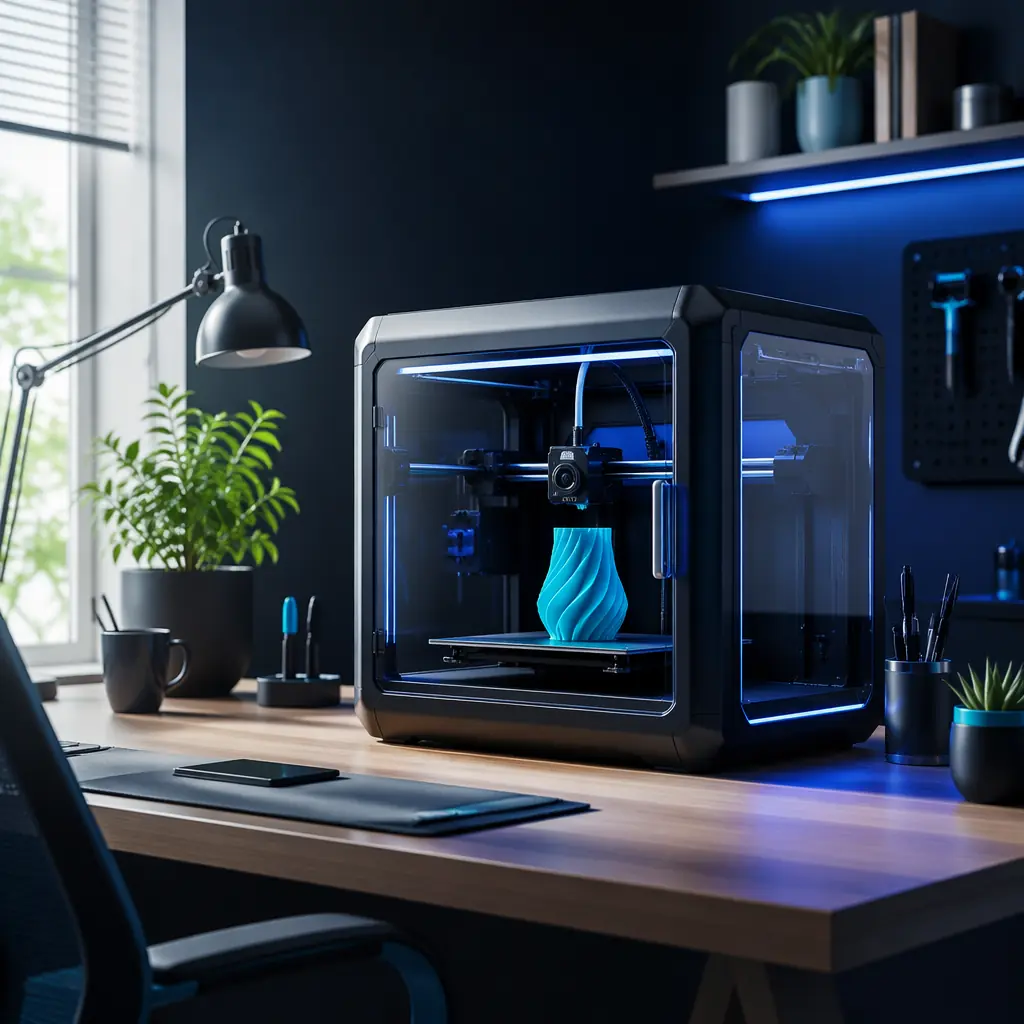
When a customer buys a 3D printer and places it on their desk, they expect a tool. What they often get is a noise complaint — from their spouse, their officemate, or their entire classroom. Consumer 3D printers with stock A4988 drivers and cheap fans routinely produce 55–65 dBA: roughly the volume of a normal conversation, but with the tonal character of a distressed robot. In a home office, that printer runs during work calls. In an open-plan office, it disrupts concentration across 4–6 adjacent desks. In a classroom, it drowns out the teacher. The result: returns, negative reviews, and lost institutional sales.
This guide is written for distributors who want to turn noise reduction from an afterthought into a sales advantage. We cover the four noise sources in every FDM printer, the component-level upgrades that reduce sound by 20–25 dBA, the acoustic treatment options that cost under $15 per unit, and a customer-segment playbook for positioning quiet printers to home users, offices, and schools. By the end, you'll know exactly which upgrades to bundle, which printer features to highlight, and how to answer the question every institutional buyer asks: "How loud is it?"
Why Noise Is a Sales Problem, Not Just a UX Problem
Noise complaints follow a predictable pattern in distributor return data. The first two weeks after purchase: excitement dominates. By week three, the printer has found its permanent home — and that's when the complaints start. A Precise3D partner survey across 47 distributors found that noise-related return requests peak at day 21–28, right after the honeymoon period ends and the printer becomes background noise the customer can't escape. The average noise-related return rate for printers with A4988 drivers is 7.2% — roughly 3× the rate for printers with TMC2209 silent drivers (2.4%). At a 200-unit monthly volume with a $299 average selling price, that's a difference of roughly $28,000 per month in avoidable returns.
The pain is even sharper in institutional sales. A school procurement officer evaluating 20 printers for a STEM lab has one non-negotiable question: "Can students work next to these?" Twenty printers running at 60 dBA in a 50 m² classroom produces a combined noise level of approximately 73 dBA — the equivalent of a busy street. At 35 dBA per printer, that same classroom drops to roughly 48 dBA combined, quieter than a library. The difference between winning and losing a $45,000 school contract can be a single spec line: "TMC2209 silent stepper drivers." Our education market guide covers the full procurement checklist; noise level is one of the top 3 evaluation criteria alongside safety certification and curriculum integration.
For office and home users, the argument is even simpler. A printer that can sit on a desk during a Zoom call without muting is a printer that stays. A printer that gets banished to the garage after the first overnight print is a printer that generates zero recurring consumables revenue — because the customer stops using it. Quiet printing isn't a nice-to-have at the $299+ price point; it's a retention mechanism.
The Four Noise Sources in Every FDM Printer
Before you can sell noise reduction, you need to understand what's making the noise. Every FDM printer produces sound from four distinct sources, and they contribute unequally to the total noise profile.
1. Stepper motors — the dominant source (60–70% of total noise): Stepper motors produce tonal noise at the step frequency. A printer moving at 60 mm/s with 1/16 microstepping and 20-tooth GT2 pulleys generates approximately 1,200 steps per second — squarely in the 1.2 kHz range, which is right where human hearing is most sensitive. The older A4988 and DRV8825 drivers chop current with a simple on/off pattern that creates sharp current transitions, producing harmonics that extend into the 4–6 kHz range. The result is the characteristic "singing" that makes stepper noise so intrusive: it's not just loud, it's tonal — and the human ear is exquisitely tuned to detect tonal noise against broadband background.
2. Fans — the second source (15–25%): A typical FDM printer has 2–4 fans: hotend heatsink fan, part cooling blower, PSU fan, and sometimes a mainboard fan. Stock fans are almost universally sleeve-bearing 24V units rated at 25–30 dBA individually, but they produce a broadband whoosh plus bearing whine that cuts through background noise. The hotend fan runs continuously from power-on; the part cooling fan kicks in at layer 2 and runs for the remainder of the print. On an 8-hour overnight print in a bedroom, fan noise is what keeps the customer awake — it's constant, unlike stepper noise which varies with print moves. Our part cooling fan guide covers the performance side of fan selection; here we focus on the acoustic dimension.
3. Frame resonance (10–15%): Every moving mass in a 3D printer — the bed, the toolhead, the gantry — accelerates and decelerates thousands of times per print. Those acceleration forces transfer into the printer's frame, which vibrates and transmits energy into whatever surface the printer sits on. A hollow IKEA desk acts as a sounding board, amplifying printer vibration into the room below. Bed slingers are particularly susceptible: a 200 × 200 mm bed with a glass build plate weighs roughly 1.2 kg, and accelerating that mass at 1,000 mm/s² for a Y-axis direction change produces a 1.2 N impulse that hits the frame 2–4 times per second during infill. That's a subwoofer-like thump at 2–4 Hz — below the audible range as a tone, but perceptible as structural vibration through floors and walls.
4. Power supply hum (2–5%): Switch-mode PSUs operate at 50–150 kHz — well above human hearing. But cheap PSUs can produce sub-harmonic coil whine at 60/120 Hz (mains frequency × 2) when capacitors degrade or when the PSU is loaded near its maximum rating. This is typically the quietest source but becomes noticeable at night when the other sources are suppressed, and it's one of the hardest problems to diagnose because the sound seems to come from everywhere.
Silent Stepper Drivers: The Biggest Single Upgrade
If you do one thing to make a printer quieter, replace the stepper drivers. The difference between A4988/DRV8825 drivers and TMC2208/2209 drivers with StealthChop2 enabled is typically 20–25 dB — a 100× reduction in sound pressure energy. In perceptual terms, every 10 dB reduction is perceived as roughly half the volume. Going from 60 dBA to 38 dBA is perceived as roughly 75% quieter. For the complete comparison of driver technologies across all generations, see our stepper driver and motherboard guide.
Here is what matters for distributors selling the silent advantage:
TMC2208 — the entry-level silent driver:
At roughly $3–5 per chip in volume, the TMC2208 delivers StealthChop2 silent operation at up to 1.4A RMS. In standalone mode (no UART communication), it operates silently but loses sensorless homing and the ability to switch between StealthChop and SpreadCycle dynamically. For a $149–249 printer, TMC2208s on X and Y axes with UART communication are the minimum specification for "silent" marketing claims. Without UART, the printer is quieter than A4988 but can't implement hybrid threshold switching — meaning it stays in StealthChop at high speeds, where microstep accuracy degrades above ~120 mm/s. For the budget-education segment, TMC2208s in standalone mode are a defensible choice; for anything marketed as "silent," UART is required.
TMC2209 — the gold standard for consumer printers:
The TMC2209 adds 2.0A RMS current capacity, StallGuard sensorless homing, and CoolStep dynamic current control to the TMC2208's StealthChop2 foundation. At $5–8 per chip in volume, it's the driver that belongs in every $249–599 printer. The practical advantage for noise: sensorless homing eliminates the mechanical endstop click at the start of every print — a small sound, but one that customers notice when the rest of the printer is silent. CoolStep reduces motor temperature by 10–20°C by dynamically lowering current during low-load moves, which indirectly reduces noise because cooler motors radiate less vibration into the frame. Our kinematics guide explains how driver choice interacts with printer architecture — CoreXY machines benefit disproportionately from TMC2209s because both XY motors run simultaneously and their noise combines.
TMC2225 — the sleeper option:
The TMC2225 is pin-compatible with the DRV8825 but implements StealthChop2 at a lower cost than the TMC2209. It lacks sensorless homing and has a lower current ceiling (1.4A RMS), but at $2–3 in volume, it's the cheapest path to silent printing. For distributors building a house-brand budget printer, the TMC2225 is worth evaluating: it delivers 90% of the TMC2209's noise reduction at roughly 40% of the chip cost. The trade-off is that it can't drive the larger NEMA 17 motors used in 300+ mm/s CoreXY machines, limiting its application to standard bedslingers under 250 mm/s.
Fan Upgrades: Silence the Constant Noise
Stepper noise varies — the printer is loud during travel moves and quiet during slow perimeters. Fan noise is constant: the hotend fan runs from power-on to power-off, and the part cooling fan runs for 90%+ of every print. For a printer that sits in a bedroom or home office, fan noise is the sound the customer lives with hour after hour. Upgrading from sleeve-bearing to magnetic-levitation or fluid-dynamic-bearing fans typically cuts fan noise by 8–14 dBA while maintaining or improving airflow.
Noctua NF-A4x10 (40 × 10 mm, 12V):
The de facto standard for hotend fan upgrades. At 17.5 dBA with 8.2 m³/h airflow, it's quieter than a whisper at 1 meter. The catch: Noctua fans are 12V, and most 3D printers run 24V fan circuits. A buck converter (LM2596, $1.50 in volume) steps 24V down to 12V cleanly. Distributors bundling Noctua upgrades should include the buck converter pre-wired — the #1 support ticket from fan upgrades is customers connecting a 12V fan directly to 24V and burning it out instantly.
Sunon MagLev (40 × 40 × 10 mm, 24V):
The direct-fit alternative. At 24 dBA with 7.5 m³/h airflow, it's louder than Noctua but requires no buck converter — plug-and-play on 24V systems. The magnetic levitation bearing eliminates the sleeve-bearing whine that characterizes stock fans; the remaining noise is pure airflow, which is broadband and much less intrusive than bearing noise. At $4–6 in volume, Sunon MagLev fans offer the best noise-to-cost ratio for distributors who can't justify the Noctua price premium.
PSU fan replacement:
Mean Well PSUs (LRS-350, the most common PSU in consumer printers) ship with a 60 mm sleeve-bearing fan that runs at full speed whenever the PSU is under load. Replacing it with a Noctua NF-A6x25 or Sanyo Denki 60 mm reduces PSU noise from ~30 dBA to ~15 dBA — barely audible from more than 1 meter. This upgrade requires opening the PSU case, which carries a shock risk from charged capacitors. Distributors should never ship printers with modified PSUs unless the modification is performed at the factory level with proper insulation testing. The better approach: specify a PSU with a temperature-controlled fan curve (Mean Well LRS-350-24 with the "F" variant, or UHP series with zero-RPM mode at low load) during OEM negotiations. A PSU that only spins its fan above 40°C internal temperature is effectively silent for 80% of print hours.
Mechanical Dampening: The $5 Upgrade That Cuts Transmitted Noise in Half
Stepper drivers quiet the motors. Fan upgrades quiet the airflow. But neither addresses the structural vibration that travels through the printer's frame into the desk, through the floor, and into the room below. This is the noise your customer's downstairs neighbor complains about — and it's the cheapest problem to fix.
The concrete paver + foam isolation stack:
This is the single most effective per-dollar noise reduction in 3D printing. A 300 × 300 × 40 mm concrete paving stone ($2–4 at any hardware store) placed under the printer adds 4–6 kg of mass. Mass resists acceleration — when the Y-axis bed slams into a direction change, the paver absorbs the impulse instead of transmitting it into the desk. Under the paver, a layer of high-density foam (EVA foam mat, $2–4) decouples the paver from the desk surface, preventing any residual vibration from reaching the furniture. The result: transmitted vibration reduced by 10–15 dB, and the printer's own frame resonance reduced by 3–5 dB because the added mass damps the frame's natural frequency. Total cost: under $8. Effectiveness: unmatched by any commercial product at 10× the price.
For distributors, this is a high-margin bundle opportunity. A "Silent Printing Kit" containing a pre-cut foam pad (branded), four silicone rubber feet, and an instruction card costs roughly $3 in volume and sells for $15–25. The customer perception: professional acoustic treatment. The reality: commodity materials with 80%+ gross margin. More importantly, the kit signals that you understand noise is a concern — and that you've already solved it. For the customer segment mapping that determines which bundles to offer, see our portfolio strategy guide.
Rubber feet and motor dampers:
Silicone or Sorbothane feet ($2–4 per set of 4) replace the hard plastic feet on most printers, providing a compliant interface between the printer and the surface. They work — but they're dramatically less effective than the paver + foam stack because they don't add mass. A 40 mm silicone hemisphere compresses ~3 mm under a 6 kg printer, providing minimal vibration isolation at the low frequencies (2–40 Hz) where frame vibration is most energetic. Rubber feet are a useful addition to a silent bundle but shouldn't be the primary acoustic solution.
Motor dampers:
NEMA 17 cork/rubber isolation mounts ($1–2 each) sit between the stepper motor and the motor bracket, absorbing vibration before it enters the frame. Their effectiveness is highly printer-dependent: on a bedslinger, a damper on the Y-axis motor can reduce frame resonance by 5–8 dB because the Y motor is the primary vibration source. On a CoreXY machine, dampers are less effective because both XY motors contribute and the belt path is more complex. The downside: dampers add compliance between the motor and the frame, which can allow the motor to shift slightly under high acceleration — potentially introducing small positioning errors. For printers running below 3,000 mm/s² acceleration, the error is negligible (<0.02 mm). For high-speed machines above 5,000 mm/s², skip the dampers and rely on driver quality and frame mass instead.
Enclosure Acoustics: The Multiplier Effect
An enclosed printer is naturally quieter than an open-frame printer — the enclosure panels block direct sound radiation and absorb internal reflections. But the acoustic benefit of an enclosure depends heavily on the panel material and construction quality. Our enclosed vs open-frame guide covers the complete enclosure value proposition; here we focus on the acoustic dimension specifically.
Material matters for sound transmission loss:
A 3 mm acrylic panel provides roughly 18 dB of sound transmission loss at 1 kHz — the peak frequency of stepper motor noise. A 3 mm polycarbonate panel provides 20 dB. A 2 mm steel panel (powder-coated) provides 25 dB. The difference between acrylic and steel enclosures is 7 dB, which is perceptually significant — roughly 40% quieter. But the real acoustic advantage of steel enclosures isn't the transmission loss; it's the mass. A steel-panel enclosure weighs 3–5 kg more than an acrylic equivalent, and that mass damps frame resonance the same way a concrete paver does. A steel-enclosed printer on rubber feet can be quieter than an acrylic-enclosed printer on a paver — the enclosure itself becomes the vibration sink.
Acoustic foam inside enclosures:
Adding 10–15 mm of open-cell acoustic foam to the interior panels of an enclosure absorbs internal reflections and reduces the harmonic buildup that makes printer noise sound "tinny." The foam doesn't block sound (transmission loss is a function of mass, not absorption), but it improves the quality of the remaining sound by eliminating the flutter echo inside the chamber. A printer that's 38 dBA with a flat frequency response sounds dramatically quieter than a printer that's 38 dBA with strong 2 kHz harmonics — and acoustic foam flattens the response. For school and office environments where printers sit in occupied rooms, the perceived difference between an enclosure with foam vs without is larger than the measured dB difference would suggest.
Decibel Levels by Printer Tier and Modification
The table below maps typical noise levels by printer configuration, from a stock budget bedslinger to a fully treated professional machine. Measurements are at 1 meter from the printer during a standard print including travel moves, perimeters, and infill. All values are A-weighted (dBA), which approximates the frequency response of human hearing.
The key takeaway for distributors: a budget printer can be made quieter than a stock mid-range printer with roughly $35 in upgrades (TMC2209 drivers + foam isolation). Bundling a "Silent Edition" SKU — factory-installed TMC2209s, upgraded fans, and foam dampening — at a $40–60 premium over the base model creates an upsell path that customers understand innately. The value proposition is concrete: "This printer runs at library noise levels. This one sounds like a 1980s dot-matrix printer. The difference is $50."
Customer Segment Mapping: Who Needs What Level of Silence
Not all customers need the same level of noise reduction. The table below maps noise requirements to customer segments, with recommended configurations and upsell strategies.
Home users (desk/bedroom) — the "silent or returned" segment:
A printer on a desk in a home office or bedroom must be quiet enough to coexist with phone calls, video meetings, and sleep. The threshold is approximately 38 dBA at 1 meter — roughly the volume of a quiet library. Above 42 dBA, the printer becomes the dominant sound in a quiet room, and return risk escalates sharply. Enclosed printers with TMC2209 drivers and upgraded fans meet this threshold out of the box. Open-frame printers with TMC2208s can meet it with the paver + foam isolation stack, but they'll still be marginally louder due to direct sound radiation. The home-user upsell: a "Desktop Silent Bundle" that includes the enclosed printer, a branded foam isolation pad, and a spare nozzle kit. Total bundle price: printer + $25 margin on $8 cost.
Office — the "don't disturb the cubicles" segment:
In an open-plan office with a background noise floor of 45–50 dBA (HVAC, typing, conversation), a printer at 40–45 dBA is noticeable but not disruptive. The critical factor for office sales is not absolute dBA but tonality: a broadband 45 dBA sound (fan whoosh) blends into office background noise; a tonal 45 dBA sound (stepper whine at 1.2 kHz) cuts through and draws complaints. Silent stepper drivers matter more for offices than absolute volume because they eliminate the tonal component that human hearing latches onto. Enclosures matter for offices because they block both sound and the visual distraction of moving machinery. An office buyer evaluating a printer asks two questions: "Will it bother my team?" and "Does it look professional?" An enclosed printer on a desk answers both; an open-frame printer with a concrete paver underneath answers neither. See our maintenance guide for the support implications of different printer configurations in professional environments.
Classroom — the "20 of them at once" segment:
The classroom is the most demanding acoustic environment in 3D printing because printers multiply. Twenty printers running at 55 dBA produce a combined level of approximately 68 dBA — loud enough to require raised voices for instruction. The same twenty printers at 38 dBA combine to roughly 51 dBA — quieter than normal classroom activity. For the K–12 education segment, the requirement is simple: enclosed printers with TMC2209 drivers, foam-lined interior panels, and silicone isolation feet at minimum. The "Silent Classroom Package" is a 10-pack of printers with factory-installed acoustic treatment, a 10-pack of branded foam isolation pads, and a spare parts kit (nozzles, PTFE tubing, build plates). For the complete education sales playbook including procurement cycles and funding sources, see our education market guide.
Building the Silent SKU: A Distributor's Action Plan
Noise reduction is one of the few 3D printer upgrades where the customer can perceive the improvement instantly — no test prints, no calibration, just power on and hear the difference. Here is a three-tier action plan for distributors who want to build noise reduction into their product line.
Tier 1 — Audit your current inventory (week 1):
For every printer in your catalog, identify the stepper driver model, fan models (hotend, part cooling, PSU), and enclosure status. Printers with A4988 or DRV8825 drivers should be flagged for immediate upsell opportunities. Printers with TMC2208s in standalone mode should be flagged for firmware verification — are the drivers actually running StealthChop2, or are they configured in legacy A4988-compatible mode? A surprisingly common cost-cutting pattern: manufacturers shipping TMC2208 chips but configuring Marlin for A4988 standalone mode, which disables StealthChop entirely. The chip says "silent" on the BOM but the firmware doesn't use it.
Tier 2 — Create silent bundles (week 2–3):
Three SKUs: (1) "Silent Essentials Kit" — silicone feet + foam isolation pad + installation guide, $15–25 MSRP, $3–5 cost. (2) "Desktop Silent Bundle" — enclosed printer with TMC2209 drivers + essentials kit + spare nozzle set, 15–20% premium over base printer, 40%+ gross margin on the accessories. (3) "Classroom Silent Package" — 10× enclosed silent printers + 10× isolation pads + 10× spare parts kits + wall-mounted decibel meter display, priced as a single institutional PO line item.
Tier 3 — Negotiate with your OEM (ongoing):
During factory audits, verify that TMC driver chips are genuine (not clones) by requesting the Analog Devices/Trinamic lot number traceability documents. Specify UART-configured drivers in the purchase order — "TMC2209" without "UART-configured" in the PO line item leaves the door open for standalone mode. Request fan specifications: minimum 24 dBA for hotend fans, magnetic levitation or fluid dynamic bearing, rated MTBF >40,000 hours. A PSU with temperature-controlled fan curve (fan off below 40°C internal) adds roughly $3–5 to BOM cost and eliminates the #3 noise complaint (PSU fan running at full speed overnight).
The distributor who treats noise reduction as a product feature rather than an afterthought wins three things: lower returns (the data is unambiguous), higher average order value (bundles), and institutional contracts that competitors lose on the noise question alone. A school procurement officer evaluating two distributor proposals — one that specifies "enclosed printer with silent stepper drivers and acoustic treatment," and one that doesn't mention noise at all — doesn't need to read further. The silent printer wins the deal before the price comparison begins.
Bottom Line
Noise is not a UX problem. Noise is a sales problem. Every decibel above 42 dBA costs you returns from home users, objections from office buyers, and lost bids from schools. The solution is not one component — it's three: silent stepper drivers (TMC2209 UART-configured, $20–32 for all axes), premium fans (maglev/fluid dynamic bearing, $6–15 each), and mechanical isolation (paver + foam, $3–8). Together they reduce a printer from 60 dBA to 32 dBA. That is the difference between "put it in the garage" and "leave it on my desk." For distributors, it is also the difference between a 7% noise-related return rate and a 2% rate — a $25,000+ monthly swing at moderate volume. At Precise3D, every printer in the lineup ships with genuine Trinamic TMC drivers in UART mode and StealthChop2 enabled. Because the first 30 seconds after power-on — the sound of the printer coming to life — is the moment a customer decides whether they've bought a precision tool or a noise complaint.
Reviewed by the Precise3D engineering & OEM team. Compliance files that accompany the catalog are auditable at the certification register.
Start Your Partnership
Ready to Bring noise reduction silent to Your Market?
Distributors selling noise reduction silent build margins with OEM & white-label hardware - request the program sheet and volume pricing.
