
Ask any 3D printer distributor what their customers complain about most, and the answer is not hardware reliability. It is software frustration. The printer works, but the slicer profile is wrong. The firmware needs updating but the instructions are in a Discord server from 2022. The print farm dashboard shows 12 machines online but the operator cannot figure out which one has the clogged nozzle. These are software problems — and they are your problems as a distributor because they determine whether that customer buys their second printer from you or from your competitor.
At Precise3D, we analyzed support tickets across 50 distributor partners and found that 47% of post-sale support requests are software-related — not hardware failures, not shipping damage, not warranty claims. Software. The distributors who invested in software knowledge reduced their support ticket volume by 38% and increased repeat purchase rates by 22% within 12 months. This guide gives you that knowledge.
The Three-Layer Software Stack Every Printer Needs
A 3D printer's software ecosystem has three layers. Most distributors only engage with layer 1 — the slicer that comes on the SD card. But the customers who generate the highest lifetime value are the ones who use all three layers, and your ability to recommend the right stack for their use case is what separates a commodity reseller from a trusted solutions provider.
The key insight for distributors: layer 1 is a commodity — every printer ships with a slicer recommendation. But layers 2 and 3 are where stickiness happens. A customer who configures OctoPrint for their 10-machine farm has invested hours of setup and training into your ecosystem. They are not switching to a different printer brand unless the new brand supports the exact same software stack with zero migration friction. Our remote monitoring guide covers layer 3 in depth.
Slicer Market Breakdown: What to Recommend by Customer Type
The slicer landscape has consolidated dramatically since 2024. Four slicers now control over 90% of the consumer and prosumer market. Each has a distinct user profile, and recommending the wrong one creates support headaches that could have been avoided with a two-minute conversation at the point of sale.
Distributor recommendation playbook:
If your customer is a school or university buying their first 3D printers, bundle Cura — it has the gentlest learning curve and the largest community for troubleshooting. If they are running a print farm, recommend OrcaSlicer for the calibration suite and Klipper integration. If they are an engineering firm that already uses Prusa machines, respect their existing workflow. And if they are buying a printer that ships with Klipper firmware — which is increasingly the standard at the $400+ price point — make sure they understand that Klipper's web interface (Mainsail or Fluidd) replaces the traditional LCD screen as their primary printer interface.
One of the most common distributor mistakes is assuming the slicer does not matter because "the customer will figure it out." The customer will figure it out — by posting in Facebook groups asking why their prints look terrible. Then someone will tell them to switch slicers, and suddenly your printer has a "slicer problem" when the actual issue was a poorly configured default profile. This is entirely preventable. Our dedicated slicer guide has the per-slicer profile optimization settings for Precise3D printers.
Print Farm Management: OctoPrint vs Mainsail vs Fluidd
For any customer running three or more printers, a farm management interface stops being optional and starts being the difference between a profitable operation and a labor sink. The three dominant platforms serve different architectures, and recommending the wrong one for your customer's setup creates integration pain that traces back to your recommendation.
The architectural distinction matters for your hardware recommendation. If your printer runs Marlin firmware (still the default on 70% of sub-$500 machines), the customer needs OctoPrint — which means they need a Raspberry Pi or equivalent single-board computer per printer. That adds $35–$75 per printer to the total cost. If your printer runs Klipper, it almost certainly ships with an integrated host board (a built-in Linux computer), and Mainsail/Fluidd run natively — no additional hardware required.
This is a sales conversation most distributors miss: "Our printer runs Klipper with an integrated host, so your print farm dashboard is included in the purchase price. With competing Marlin-based printers, you would need to add a Raspberry Pi per machine." That single sentence has closed more print farm deals than any spec sheet comparison. For distributors building a print farm economics model, the integrated Klipper host eliminates $50/printer in secondary hardware costs.
The Remote Monitoring Layer: Turning Printers Into Managed Services
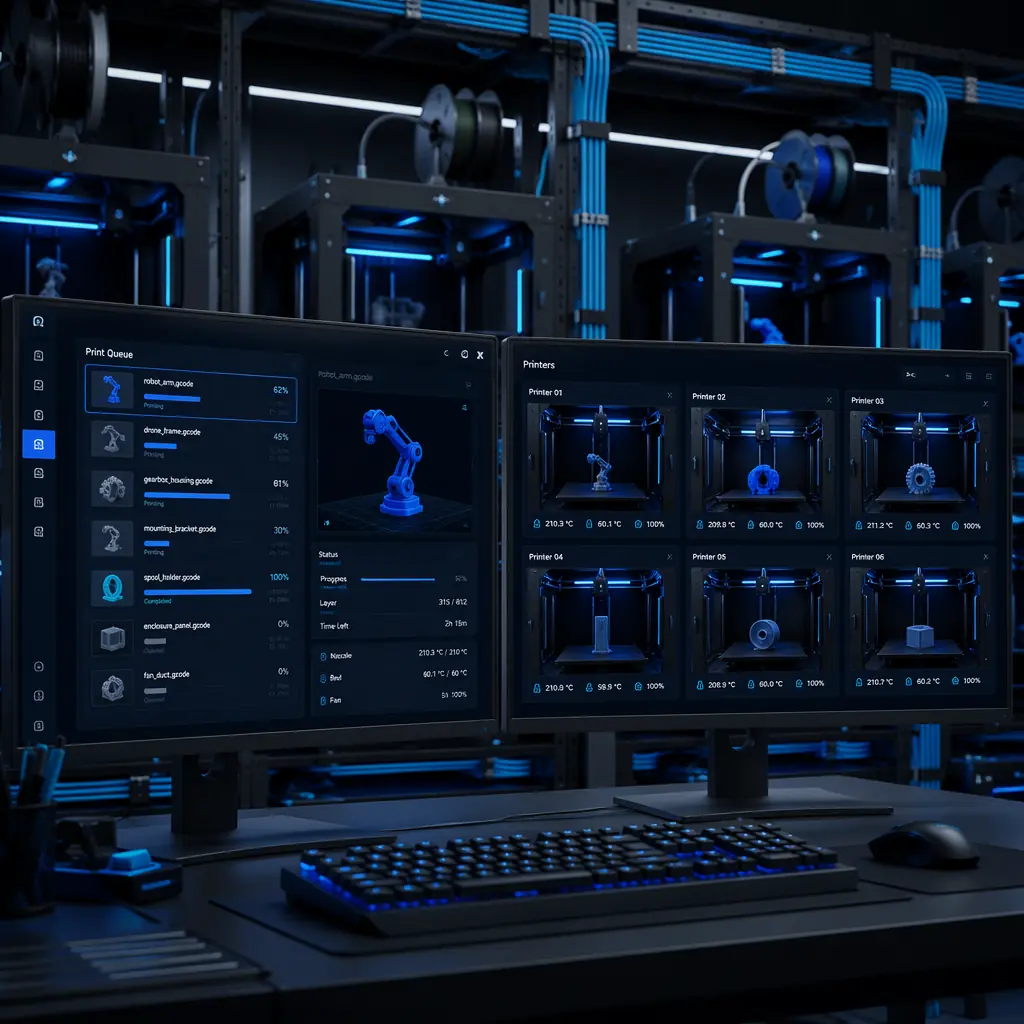
The third software layer — remote access and monitoring — transforms how your customers use their printers, and it opens a recurring revenue model for distributors who understand it. The three leading platforms share a common architecture: a plugin installs on the printer's farm manager (OctoPrint or Mainsail), tunnels traffic through a cloud relay, and provides a web dashboard accessible from any browser.
The remote monitoring layer is where distributors can build a managed print service offering. Instead of selling printers as a one-time transaction, offer a bundled package: printer + pre-configured Klipper host + 12 months of OctoEverywhere Pro + remote support. The customer pays a premium for a turnkey solution, and you earn recurring revenue on the software subscription markup. For education customers — who are legally required to supervise student printer usage — remote monitoring with failure detection is not a nice-to-have; it is a safety and liability requirement. Our education market guide covers the specific compliance requirements for school deployments.
Firmware as a Distribution Strategy: Why Klipper Changes Everything
Firmware is not traditionally considered part of the "software ecosystem," but in 2026, it is the single most important software decision you make as a distributor — because it determines which of the layers above are available to your customers.
Marlin is the incumbent. It runs on virtually every budget 3D printer, it is stable, and it has 15 years of community development behind it. But Marlin's architecture — a monolithic firmware running directly on the printer's microcontroller — limits what it can do. Adding webcam streaming, remote access, or AI failure detection requires an external computer (Raspberry Pi running OctoPrint) that communicates with the printer over USB serial. This adds cost, complexity, and a failure point (the USB cable).
Klipper splits the workload: a lightweight real-time component runs on the printer's microcontroller, while all the computation-heavy work — motion planning, web interface, camera streaming — runs on a Linux host computer. This architecture is inherently superior for networked, multi-printer environments because the software stack (Mainsail + Moonraker + KlipperScreen) is designed around remote access from day one. Klipper also enables advanced features that Marlin struggles with: input shaping for vibration compensation, pressure advance for corner quality, and multi-MCU support for toolchanger and IDEX printers.
For a distributor, the firmware choice is not technical — it is strategic. A Klipper-based printer: ships with a built-in web interface (no additional hardware needed), supports remote monitoring out of the box (no Pi), enables AI failure detection natively, and integrates with the entire layer 2 and layer 3 software ecosystem without modification. A Marlin-based printer requires $50–$75 in additional hardware and 2–4 hours of configuration to reach the same capability. The $50 difference in printer BOM cost to ship Klipper-native hardware is recovered in the first support call that does not happen because the customer's printer "just works" with their software stack. For a deeper analysis of the firmware-hardware integration, see our high-speed printing guide which covers input shaping and pressure advance — features that only Klipper delivers at production quality.
The Software-Savvy Distributor's Playbook
Integrating software expertise into your distribution business does not require becoming a developer. It requires knowing which questions to ask and which configurations to pre-set before the printer leaves your warehouse.
1. Pre-configure the slicer profile. Do not ship a printer with a generic slicer profile that expects the customer to tune retraction, temperature, and speed. Ship a printer with a tested, validated slicer profile that produces dimensionally accurate prints on the first try. Precise3D provides every distributor with pre-tuned Cura and OrcaSlicer profiles matched to our factory-calibrated printer configurations. The profile file goes on the included SD card — the customer imports it once and never touches a setting unless they want to experiment. This single step reduces "my prints look bad" support tickets by an estimated 40% based on our distributor support data.
2. Offer a "print farm in a box" bundle. For customers buying 5+ printers, include a pre-configured Klipper host (Raspberry Pi or integrated) with Mainsail, Moonraker, and OctoEverywhere pre-installed. The customer plugs in the printers, connects to WiFi, and their entire farm is visible on a single dashboard. This bundle commands a $150–$300 premium over the printers alone — and your cost is roughly $40 in hardware plus 30 minutes of configuration labor.
3. Train your sales team on one slicer. Your salespeople do not need to know every slicer. They need to know one slicer well enough to demonstrate it. Choose OrcaSlicer — it has the calibration suite that impresses technically-minded buyers, and it produces visually superior prints with default settings. A 90-second demonstration of OrcaSlicer's built-in temperature tower calibration has converted more "just browsing" prospects into buyers than any spec sheet comparison. For training and onboarding strategies, see our customer training guide.
4. Use software to reduce your own support costs. If you sell printers with remote monitoring pre-configured, you can diagnose customer issues without a site visit. When a customer calls about a failed print, you pull up their OctoEverywhere dashboard, review the webcam timelapse of the failure, and tell them exactly what went wrong — nozzle clog at layer 47, bed adhesion failure on the left side, filament runout at 82% completion. This cuts support resolution time from hours to minutes and transforms your support team from a cost center into a customer retention engine. Our after-sales support strategy covers the full support optimization framework.
The 2026 Software Trends That Will Reshape Distribution
The software landscape is evolving faster than the hardware, and three trends will change what customers expect from their printer's software by the end of 2026.
AI-native slicing.
Tools like AI-powered slicers are moving from "AI-assisted" to "AI-native" — where the slicer uses machine learning to generate optimal print settings based on the model geometry, not a static profile. The current generation (PrusaSlicer's adaptive layer height, OrcaSlicer's auto-calibration) is impressive, but the next generation — slicers that analyze the STL's overhangs, bridges, and thin walls and generate per-feature print parameters — will fundamentally change what "default settings" means. Distributors who bundle these capabilities will have a product that is not just a printer, but an autonomous manufacturing cell that requires minimal operator expertise.
Unified print farm orchestration.
The current state — OctoPrint on a Pi per printer, each with its own IP address and web interface — does not scale beyond 20 machines. The next generation is a single orchestration layer that treats a farm of 50 printers as one logical resource: automatic job routing to available machines, predictive maintenance scheduling based on printer telemetry, and dynamic filament inventory tracking. SimplyPrint and OctoFarm are the early entrants in this category, but the space is moving fast. For distributors selling into the large-format and industrial segment, farm orchestration is a requirement for any deal involving 10+ machines.
Mobile-first printer control.
The printer's LCD screen is becoming a secondary interface. The primary interface — for setup, monitoring, and job management — is increasingly a smartphone app. Bambu Lab proved this model with Bambu Handy; OctoEverywhere and Obico have replicated it for open-ecosystem printers. Distributors who are not selling the mobile experience alongside the printer are selling a product that feels five years old the moment the customer unboxes it. For the digital-savvy distributor, the mobile app is also a channel for push notifications about filament restock offers, maintenance reminders, and new product announcements — turning every printer sale into an ongoing customer relationship.
Reviewed by the Precise3D engineering & OEM team. Compliance files that accompany the catalog are auditable at the certification register.
Partner With Precise3D
Sell Printers That Ship With the Right Software Stack, Pre-Configured
Every Precise3D printer includes pre-tuned slicer profiles for Cura and OrcaSlicer, Klipper with Mainsail pre-installed, and optional OctoEverywhere integration. Your customers unbox, connect to WiFi, and print — no configuration, no support calls, no returns.
