
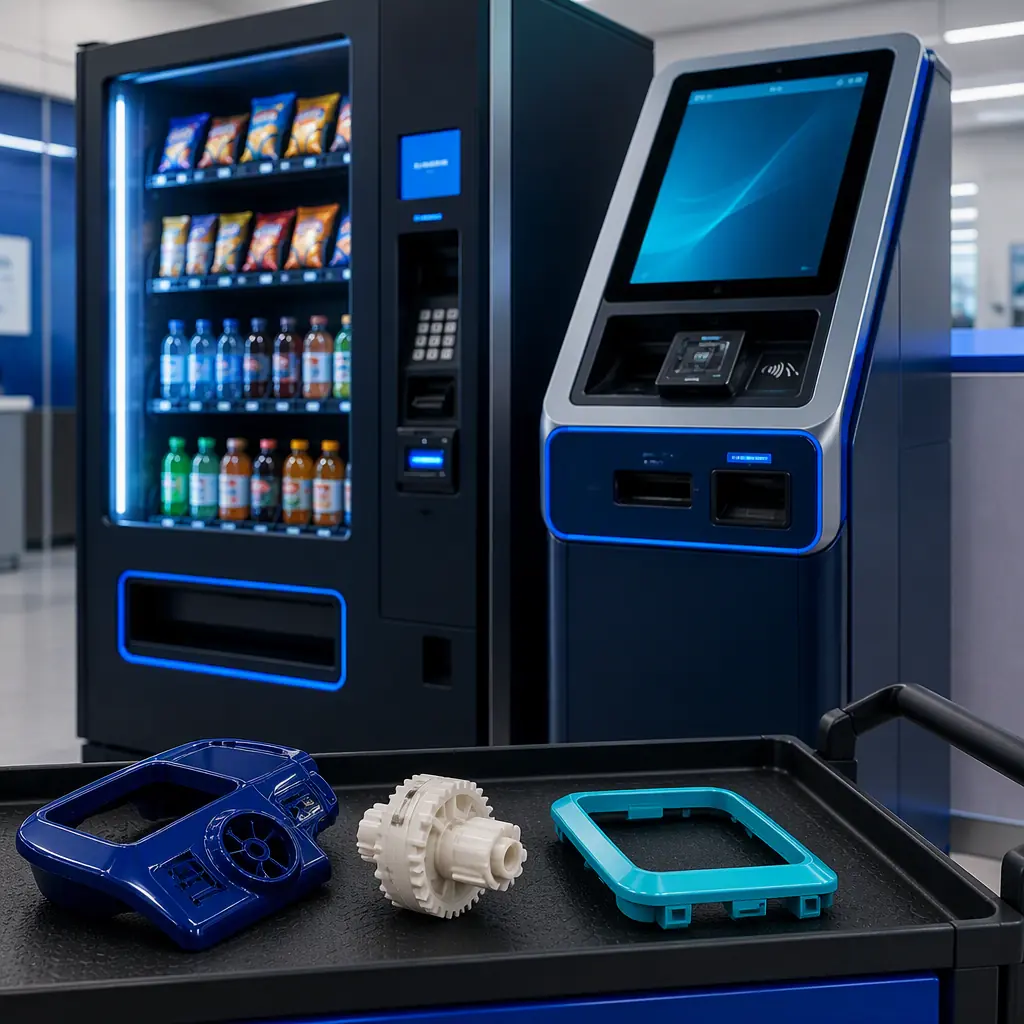
The self-service equipment market spans vending operators (snack, beverage, coffee, and fresh-food machines), kiosk manufacturers (self-ordering, check-in, ticketing, and photo kiosks), payment-terminal service firms that maintain card readers and payment bezels, and amusement vendors running claw machines, prize dispensers, and arcade equipment. One structural fact unites them: a vending machine is designed for a 10-15 year service life, and manufacturers only guarantee spare parts for 5-7 years. The result is a massive installed base of machines running on scavenged, remanufactured, or expensive OEM parts. 3D printing is the first technology that lets a local operator or a distributor's service network produce those parts on demand, at unit-of-one economics.
Why Self-Service Is Buying 3D Printers
Four structural facts make the self-service vertical a durable buyer. First, legacy spare parts: the average vending route has machines from three or four different manufacturers and vintages, and discontinued parts are the #1 cause of out-of-service machines. The aftermarket economics are the same ones we map in our spare parts & aftermarket revenue guide. Second, 24/7 wear: buttons, bezels, coin slots, and dispenser paddles take millions of actuations per year; high-touch plastic parts wear out on a predictable cycle, which means predictable reorder demand. Third, customization pressure: kiosk buyers want brand-matched colors, custom button layouts, and accessibility upgrades, unit-of-one and short-run parts that no injection mold can serve, the small-batch economics are in our portfolio strategy guide. Fourth, field-service speed: a down machine loses $50-150 per day in revenue, so operators pay a premium for same-day parts; a printer in the warehouse turns a 2-week OEM wait into an overnight fix.
The Applications That Actually Buy
Six clusters generate the orders. The buyers are vending operators, kiosk manufacturers, payment-terminal service firms, amusement vendors, and the spare-parts distributors who serve them.
1. Buttons, bezels, and coin slots. The highest-frequency part family: selection buttons, card-reader bezels, coin return buttons, and bill-acceptor faceplates. A printed bezel costs $1-5 and prints overnight; the OEM part costs $10-45 and takes 2-4 weeks. The part-level economics are developed in our spare parts revenue guide.
2. Coin mechanism and dispenser parts. Gears, paddles, pushers, and gates inside coin changers and snack spirals. These are moving parts with modest loads. Printed nylon replacements routinely outlast the originals when the originals were thin ABS. The material selection logic is covered in our engineering filaments guide.
3. Custom kiosk panels and housings. Kiosk manufacturers use printed panels for prototype validation and low-volume production of branded enclosures, card-reader surrounds, and signage mounts. The prototype-to-production path is in our injection molding vs 3D printing guide.
4. Payment-terminal accessories. Privacy shields, anti-skimming bezels, mounting brackets, and cable-management clips for card readers and payment terminals. These ship in volume to service firms, the batch economics are in our print farm operations guide.
5. Jigs and service tooling. Test fixtures for bill validators, keypad-press testers, and calibration jigs for coin mechanisms. Service firms use printed tooling to speed up bench testing, the tooling economics mirror our manufacturing tooling guide.
6. Amusement and prize parts. Claw-machine components, prize-dispenser paddles, token mechanisms, and redemption-counter fittings. Amusement vendors are high-frequency buyers because their machines run in high-traffic public locations.
Materials for Self-Service Equipment
Self-service buyers work in three material worlds, touch, moving, and flame-rated:
Two realities dominate material conversations. First, flame ratings: payment and power compartments fall under electrical-equipment safety rules, so flame-retardant grades matter and the compliance framework is in our certification & compliance guide. Second, surface quality: customer-facing bezels sit next to glossy OEM parts, so post-processing is not optional; the finishing workflow is fully covered in our post-processing & finishing guide.
From Broken Part to Installed Replacement: The Field-Service Workflow
The workflow that wins self-service accounts has five stages. Capture . Most operators arrive with a broken sample, not CAD; pair printer sales with a 3D scanner bundle using the playbook in our scanner + printer bundle guide. Reverse-engineer and model . Model the part with correct mounting geometry and tolerances; the dimensional framework is in our tolerances & dimensional accuracy guide. Print the replacement . Nylon for moving parts, ABS/ASA for exterior parts, flame-retardant for payment compartments; iterate fit overnight. Validate on the machine . Test the part in the actual mechanism, checking actuation, wear, and clearances; the qualification workflow is in our incoming QC guide. Stock and reorder . Once validated, the part becomes a stock item for the operator's fleet, and the recurring-revenue model is developed in our consumables & accessories bundling guide.
Budget Reality: Printed vs OEM
The comparison that closes self-service accounts:
The distributor math compounds because self-service parts fail on a predictable cycle: a 400-machine route can consume 50-150 printed parts per month. The printer investment model that justifies the operator's own machines, and your demo fleet, is in our TCO & ROI calculator guide.
The Distributor Playbook: Entering Self-Service
Five moves win self-service accounts:
1. Target operators and service firms. Vending operators with 200+ machines, kiosk manufacturers, and payment-terminal service companies are the highest-intent buyers. Build a target list of 20-30 accounts. This vertical is dense with mid-size operators in the US, Germany, UK, and Australia.
2. Lead with the downtime pitch. The pitch is "out-of-service machine back online overnight, parts under $5." Bring a printed button bezel and a coin gear to every meeting. Operators approve what they can snap into a machine on the spot.
3. Bundle the field-service ecosystem. An enclosed FDM printer is the anchor, but the margin is in nylon, ABS, ASA, and flame-retardant filaments, build plates, and a spare-parts starter kit. The bundling mechanics are in our consumables bundling guide.
4. Offer a part-digitization service. Many operators have decades of orphaned machines with no CAD. A distributor that scans, models, and validates parts for a fixed fee captures the account before hardware discussion starts, the service-revenue logic is in our repair service center guide.
5. Work the replacement cycle. Vending machines have a 10-15 year life and parts fail on a predictable wear cycle; sell annual parts-service contracts alongside printers, using the framework in our annual service contracts guide.
Common Pitfalls in Self-Service Accounts
Five mistakes cost distributors self-service business: (1) selling open-frame printers for a warehouse floor . Vending service environments are dusty and high-traffic; enclosed machines are the honest recommendation (the difference is mapped in our enclosed vs open-frame guide); (2) ignoring flame ratings . Payment and power compartments need documented flame-retardant material compliance, and an unrated part in a payment zone ends the account; (3) printing exterior parts in PLA . Sun-exposed bezels warp and fade; ASA or ABS is the minimum for anything outdoors or near windows; (4) treating moving parts as cosmetic . Coin gears and dispenser paddles need nylon with proper clearances, not decorative prints; and (5) skipping validation . A part that jams a bill validator costs the operator a service call; document fit with the framework in our tolerances guide.
Getting Started: The First 90 Days
A 90-day entry plan: Month 1 . Identify 20-30 target accounts (vending operators, kiosk manufacturers, payment-terminal service firms) and stock the self-service material set: nylon PA12, ABS, ASA, one flame-retardant PC/ABS, TPU, plus build plates and a spare-parts starter kit. Month 2 . Produce a finished demo piece (a scanned and printed button bezel with its validation photos), run two pilot jobs at cost-plus-10% (a legacy bezel batch and a coin-gear run), and offer part-digitization services to one operator. Month 3 . Convert pilots to full accounts with parts-service contracts and a 24-hour parts SLA, publish your first measured case study ("400-machine route: $18 bezel → $2, 2 weeks → overnight"), and open one kiosk manufacturer account. The printer investment model that justifies the distributor's own machines is in our TCO & ROI calculator guide. The sustainability angle also resonates with modern operators. The recycled and low-waste filament playbook is in our sustainable & recycled filament guide.
Reviewed by the Precise3D engineering & OEM team. Compliance files that accompany the catalog are auditable at the certification register.
Enter the Self-Service Market
Ready to Supply Vending & Kiosk Companies?
Get wholesale pricing on enclosed FDM printers, nylon and flame-retardant filament lines, build plates, spare-parts kits, and the self-service playbook that wins operators and kiosk manufacturers.
